To declare your Quantfury activity you need two documents: the trading account statement and the cash account statement. Both download as PDFs in under two minutes. Here is how.
Why you need your Quantfury history
Quantfury is a platform for trading crypto, shares, ETFs, indices, commodities and currencies. Unlike other exchanges, it offers neither CSV export nor an API connection, so downloading the PDFs is the only way to get your history.
For your tax return you need:
- open and closed positions with their gains and losses
- dividends received
- interest earned on the cash account
- crypto and fiat deposits and withdrawals
The documents you need to download
Quantfury splits your account in two, and you need the statement for both:
| Document | Contents | What it is for |
|---|---|---|
| Trading account statement | Open and closed positions, P&L by asset, dividends, rewards | Calculating trading gains and losses |
| Cash account statement | Deposits, withdrawals, interest, crypto and fiat balances | Evidencing movements and declaring interest |
Downloading the trading account statement
Step 1: sign in to your account
- Open the Quantfury app or go to the web platform (trading.quantfury.com)
- Tap “Account” in the side menu (app) or main menu (web)
Step 2: open the trading account
- Inside “Account”, select “Trading account”
Step 3: download the PDF
- Scroll to the bottom of the page
- Tap “Download trading account statement”
- A PDF file is downloaded
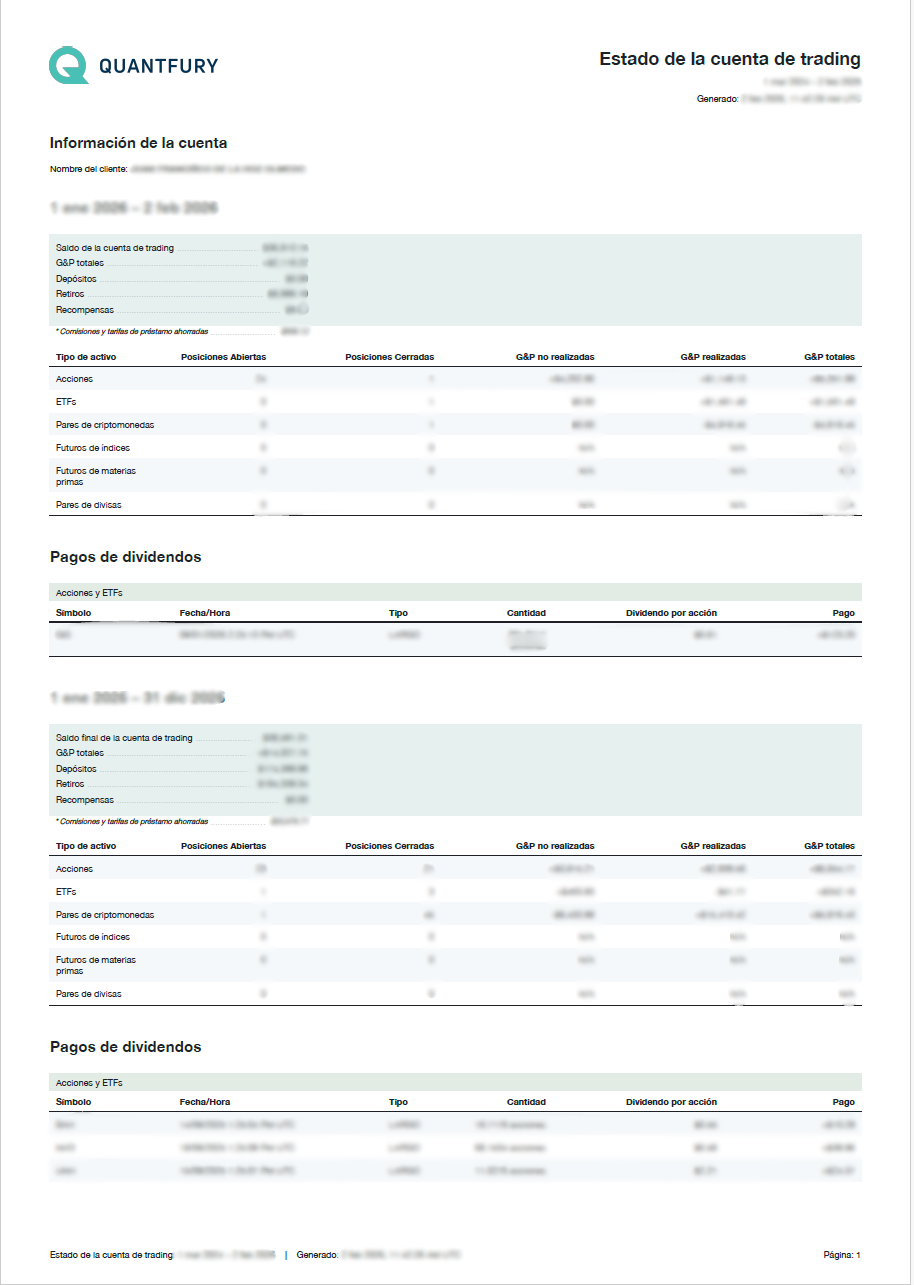
What a trading account statement looks like
This is the PDF you get, broken down by year, positions and dividends:
Downloading the cash account statement
Step 1: sign in to your account
- Open the Quantfury app or the web platform
- Tap “Account” in the side menu (app) or main menu (web)
Step 2: open the cash account
- Inside “Account”, select “Cash account”
Step 3: download the PDF
- Scroll to the bottom of the page
- Tap “Download cash account statement”
- A PDF file is downloaded
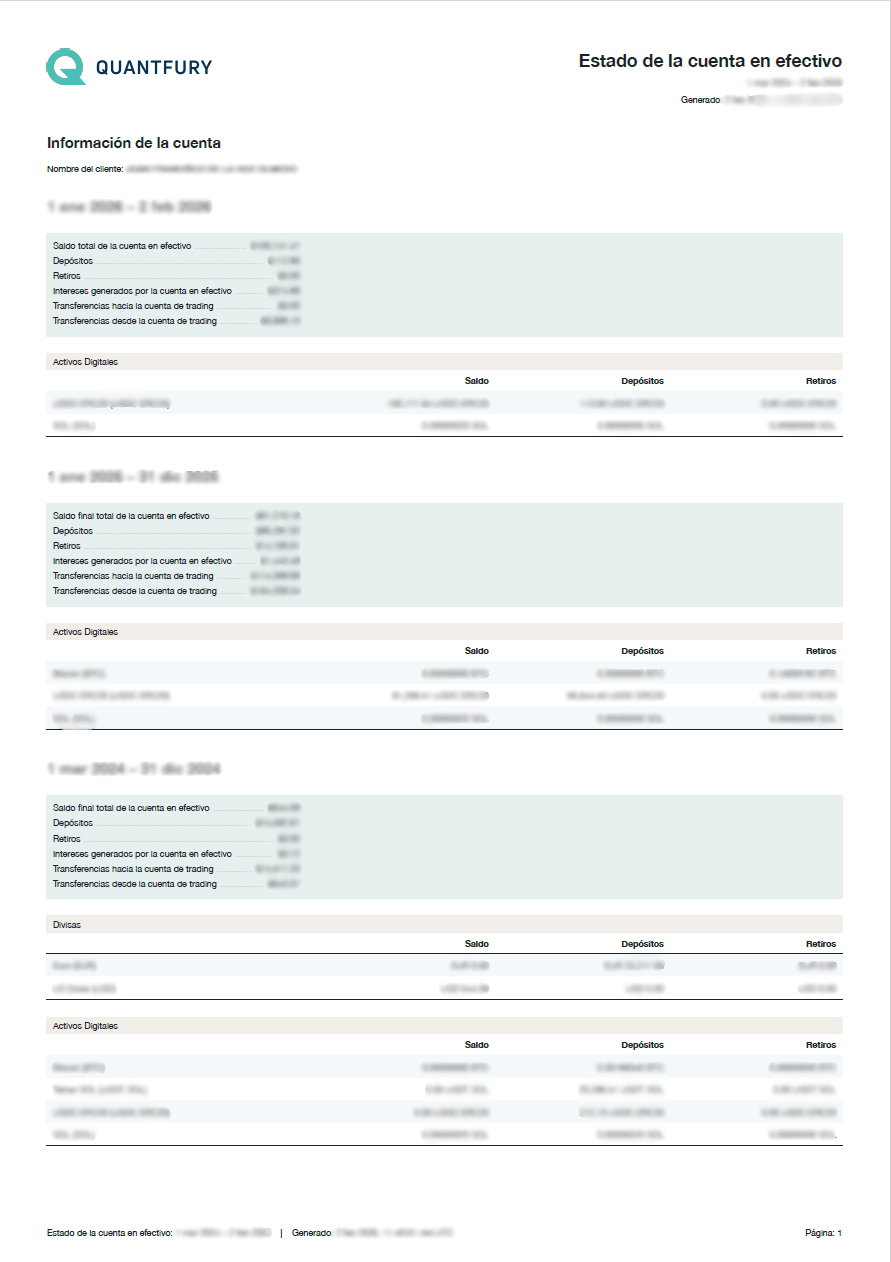
What a cash account statement looks like
This is the PDF showing your crypto and fiat currency balances:
Checking your transfer history (optional)
Beyond the PDFs, you can look at the detailed transfer history directly in the app:
Transfer history in the trading account
- Account > Trading account
- Under “Account currency”, tap “History”
Stock transfer history
- Account > Trading account
- Under “Transfer stocks to cash account”, tap “History”
Per-currency history in the cash account
- Account > Cash account
- Choose “Cryptocurrencies”
- Select the currency you want > “History”
Frequently asked questions
Does Quantfury allow CSV export?
No. Quantfury only produces account statements as PDFs. There is no CSV export option and no API connection.
Do Koinly or Divly support Quantfury?
No. No crypto tax software integrates directly with Quantfury. That is precisely why this guide is useful: the PDFs have to be processed by hand.
Does Quantfury count as a foreign exchange for the Modelo 721?
Yes. Quantfury is not registered with the Banco de España. If your combined holdings on foreign exchanges exceed €50,000, you have to file the Modelo 721.
Are share dividends taxable?
Yes. The dividends listed on the trading account statement are taxed as investment income. On top of that, dividends from foreign companies may carry withholding tax at source, which you can deduct.
Is interest on the cash account taxable?
Yes. Interest earned on the cash account is taxed as investment income in the savings tax base.
Need help with your Quantfury history?
At colvence we process your Quantfury history. We calculate every gain and loss (crypto, shares, CFDs, dividends) and prepare your tax return.
Message us on WhatsApp and we will help you.
References

Víctor Lázaro
Tax adviser, colvence.com